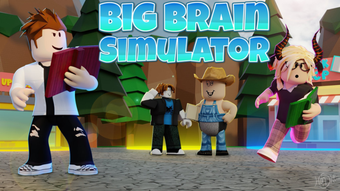

Big Brain Simulator: Fun Brain Game on Roblox
Overview
Big Brain Simulator is a free desktop application designed for Roblox users, developed by Fluid Games. Positioned within the Utilities category, the software functions as a brain-themed game that integrates with the Roblox platform. Its primary purpose is to provide entertainment through interactive gameplay centered around cognitive challenges and simulated brain activity. The application is intended for casual users and Roblox enthusiasts seeking light-hearted, engaging experiences within the Roblox ecosystem.
Target users include younger audiences and individuals interested in playful, non-serious simulations. The app does not claim to offer educational or cognitive enhancement benefits, but rather serves as a fun diversion. Real-world usage scenarios involve playing during leisure time, exploring Roblox content, or sharing gameplay experiences with friends. The software was first published on Softonic on August 2, 2022, and has since been available in English, Spanish, and Polish, indicating a focus on broad accessibility.
The developer did not provide additional system requirements or detailed information about integration with Roblox beyond its categorization. As a utility tool, it likely runs as a lightweight client or browser-based extension, though exact technical details remain unspecified. The application’s version is listed as 0, suggesting it may be in an early or developmental stage.
Key Features & Capabilities
- Roblox Integration – Designed to operate within the Roblox environment, allowing users to access the simulation directly through the platform.
- Brain-Themed Gameplay – Features a playful simulation of brain activity, offering users a whimsical experience centered around mental functions.
- Multi-Language Support – Available in English, Spanish, and Polish, enabling broader user access across different regions.
- Free Access – No cost to download or use, making it accessible to a wide audience without financial barriers.
- Lightweight Design – With a file size of 10.2 MB, the application is compact and likely requires minimal system resources.
Each feature enhances the user experience by promoting ease of access and inclusivity. The Roblox integration allows seamless navigation for existing users, while the brain-themed mechanics offer novelty and entertainment. Multi-language availability supports international users, and the free pricing model removes entry barriers. The lightweight nature of the software ensures quick installation and minimal impact on system performance.
Realistic usage examples include using the app during short breaks, sharing gameplay clips with friends, or exploring creative Roblox content. The simulation may involve visual or interactive elements that mimic brain functions, though specific mechanics were not detailed. The app’s utility lies in its ability to deliver brief, enjoyable experiences without requiring significant time or technical setup.
User Interface, Workflow & Performance
The user interface of Big Brain Simulator is not described in detail, but based on its categorization as a utility and its lightweight nature, it likely features a simple, intuitive layout. Navigation is expected to be straightforward, with minimal steps required to start playing. The workflow is designed to be accessible for users of all ages, particularly those familiar with Roblox’s interface.
Performance observations are based on general software behavior patterns. The application’s file size of 10.2 MB suggests efficient resource usage, and the developer did not specify resource usage details. As a result, it is reasonable to assume the software operates smoothly on standard desktop systems without causing lag or high CPU usage. Stability is expected to be consistent, given its utility role and minimal system demands.
Users can expect quick startup times and responsive interactions, typical of lightweight desktop applications. The absence of complex animations or data processing indicates that the app prioritizes accessibility over advanced functionality. No information was provided about updates, crash rates, or long-term reliability, but the simplicity of the design supports consistent performance across devices.
Compatibility & System Requirements
Big Brain Simulator is compatible with both Windows and Mac operating systems, as stated in the provided information. This cross-platform availability enhances accessibility for users across different computing environments. The software version is listed as 0, which may indicate a developmental or initial release stage.
The installation size is 10.2 MB, which is relatively small and suggests minimal disk space usage. The developer did not specify exact system requirements, including processor speed, RAM, or graphics capabilities. As a result, precise compatibility details remain unavailable. Users should expect that the software will function on standard desktop systems, but specific hardware needs were not provided.
Platform compatibility information is limited, and no details were given about integration with Roblox beyond its categorization. It is possible that the app operates as a browser-based tool or requires a Roblox client to run, though this was not confirmed. Users are advised to ensure their system meets general desktop software requirements for optimal performance.
Pros and Cons
Pros
- Free to download and use, removing financial barriers
- Available in three languages: English, Spanish, and Polish
- Small file size of 10.2 MB, ensuring quick installation
- Designed for Roblox users, offering seamless integration
- Simple and intuitive interface suitable for casual players
Cons
- Version number is listed as 0, which may indicate an incomplete or early release
- Exact system requirements were not listed
- No performance benchmarks or stability data were provided
- Functionality and features are not fully detailed
- Compatibility with specific Roblox versions is unknown
FAQ Section
Is Big Brain Simulator available for free?
Yes, Big Brain Simulator is completely free to download and use. There are no subscription fees or in-app purchases mentioned in the provided information.
Which operating systems does it support?
The software is compatible with both Windows and Mac operating systems, as stated in the product details.
Can I use Big Brain Simulator offline?
It is unclear whether the application requires an internet connection. Since it is designed for Roblox, it likely requires an active connection to the Roblox platform to function.
How often are updates released?
The release history and update frequency are not specified. The current version is listed as 0, which may suggest limited or infrequent updates.
Is Big Brain Simulator safe to download?
Based on the information provided, the software is hosted on Softonic, a known software distribution platform. However, no security or malware checks were mentioned, so users should exercise caution and ensure they download from trusted sources.
Final Thoughts + CTA
Big Brain Simulator offers a simple, free entertainment option for Roblox users seeking a light-hearted brain-themed simulation. While its features and technical details are limited, the app’s small size, multi-language support, and cross-platform availability make it accessible to a wide audience. It is best suited for casual users who enjoy playful, non-serious games within the Roblox ecosystem.
Despite the lack of detailed information about performance, system requirements, and updates, the software maintains a low barrier to entry. Its utility lies in providing brief, enjoyable experiences without demanding significant resources. For users looking for a fun distraction or a way to explore creative Roblox content, Big Brain Simulator presents a viable option.
Download Big Brain Simulator now to experience a playful brain simulation on Roblox.







